
Project tracking
See the forest and the trees
oom nests projects inside projects, rolls every due date up to the parent, and names the task the date came from. Built for people tracking more work than fits on one list.
Free for up to 10 projects. No credit card required.
The grid
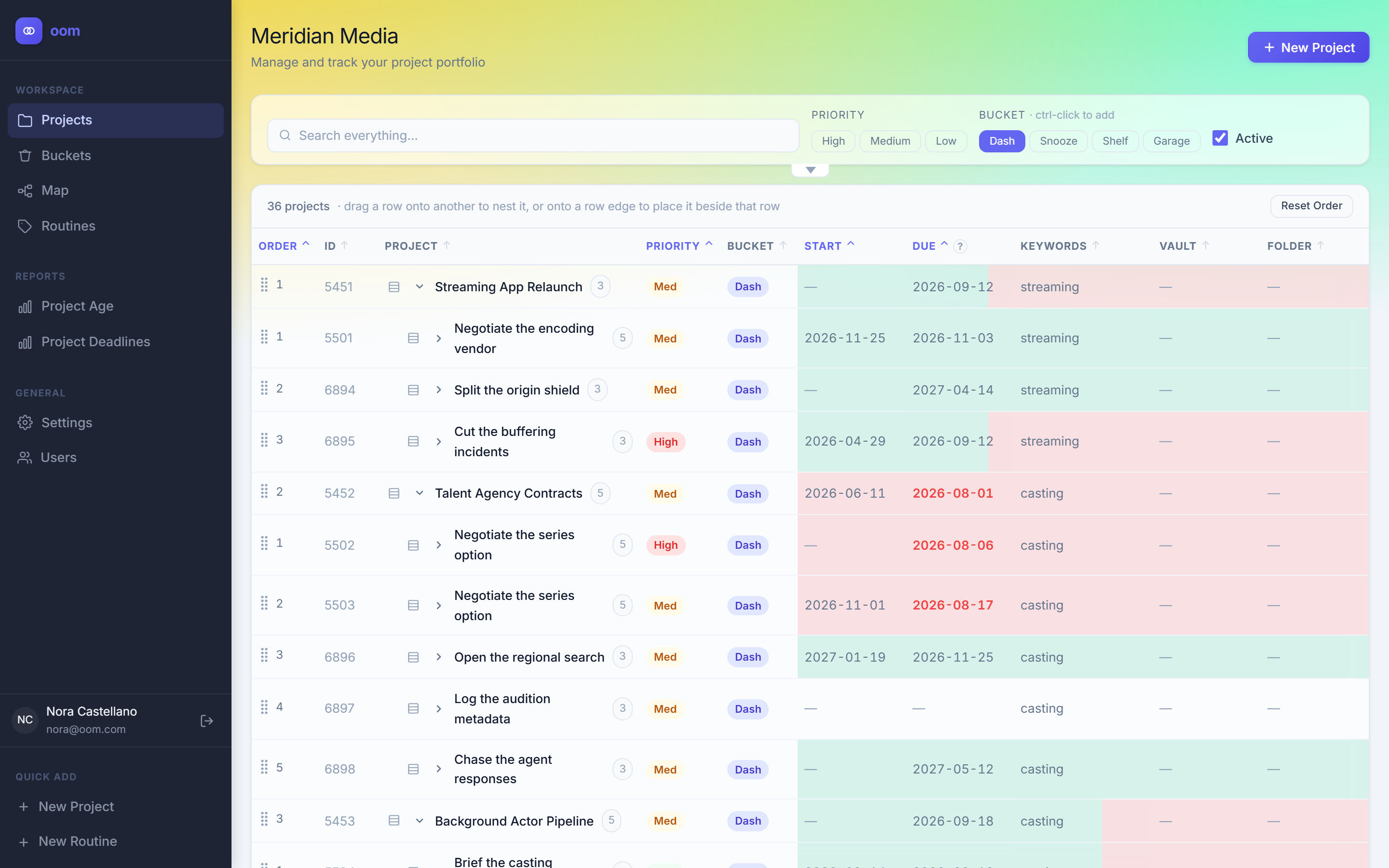
Open a project and its whole tree is right there
Projects hold sub-projects, and those hold more. Every row carries the earliest date anywhere beneath it, so a parent tells you it is late before you have expanded anything. Drag a row onto another to re-parent the entire subtree.
- Nesting to any depth, expanded in place
- Dates roll up from the whole subtree
- Colour tracks urgency on a lightness scale, not hue alone
The map
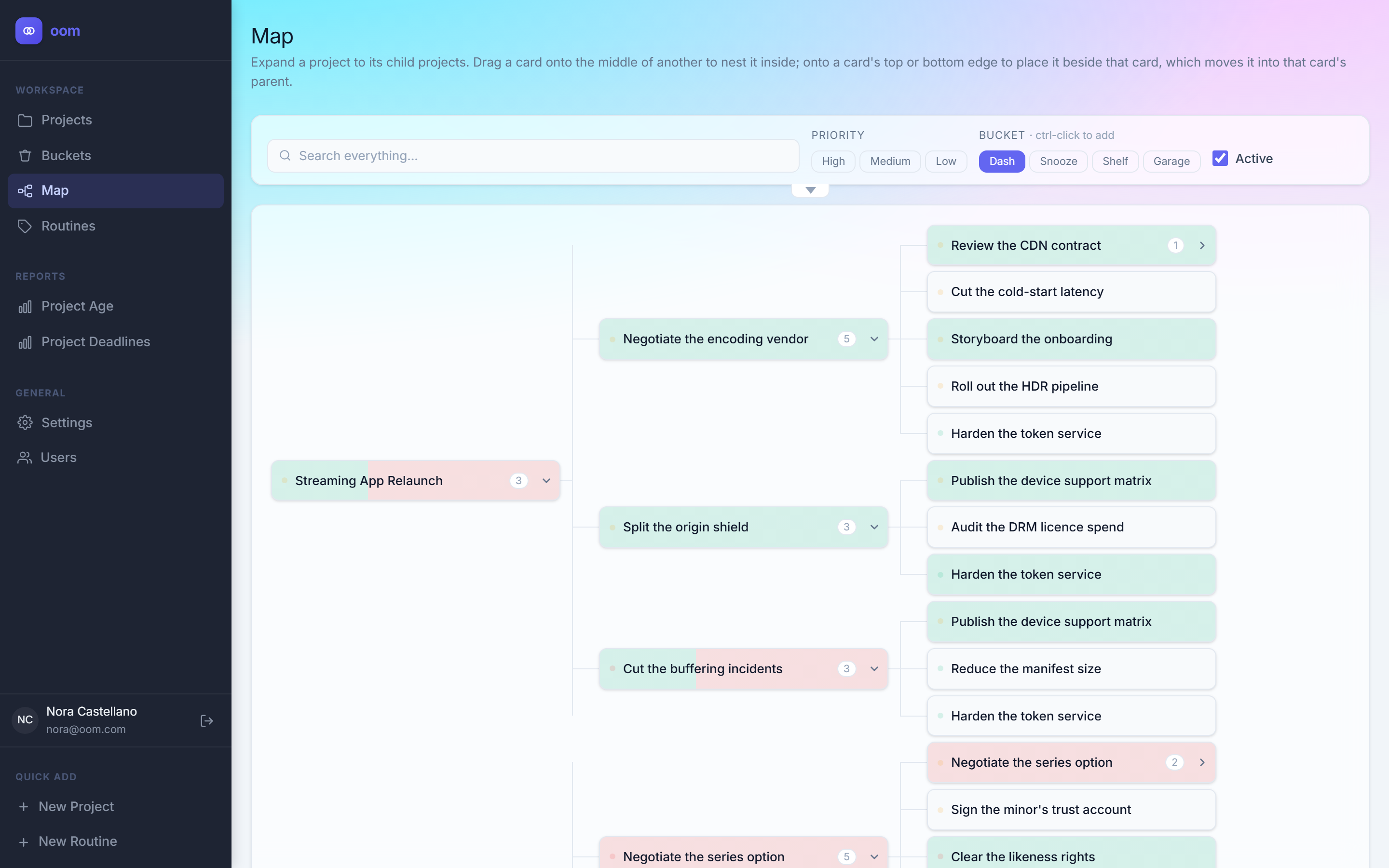
The same work, laid out sideways
Expand a project into its children, and those into theirs, until the shape of the work is a picture instead of a paragraph. Drag a card onto the middle of another to nest it, or onto an edge to place it beside that card.
- Every branch expands independently
- Drag between branches to restructure
- The same filters as the grid, applied live
Spaces
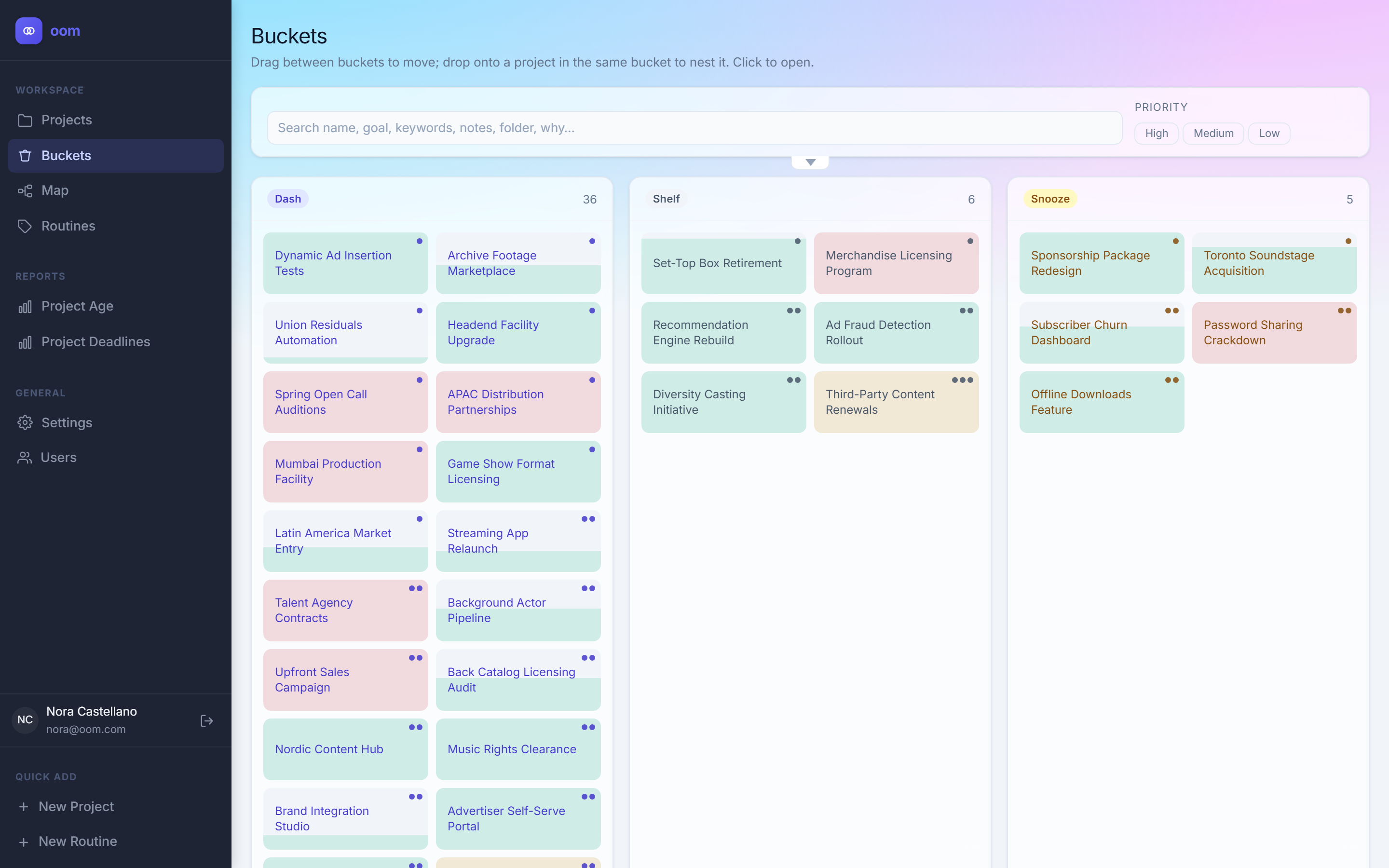
Park work without losing it
Dash for now, Snooze for later, Shelf for someday, Garage for done. Moving a project moves everything underneath it, so a whole branch clears in one drag — and snoozed work comes back on a date you choose rather than never.
- Four spaces to start; rename them or add your own
- A move cascades to the entire subtree
- Nothing is deleted to get it off the board
Features
Six things it does that a list cannot
All of it shipped and in the app today. Nothing on this page is a roadmap item.
-
Projects inside projects
A project can hold sub-projects to any depth. Re-parent one and the grid, the map and the ordering all follow.
-
Due dates that roll up
A parent shows the earliest date across its own deadline, its children and its open tasks — and names the one it came from.
-
Routines
Templates that generate projects on a schedule: monthly, annually, or a fixed number of days after a trigger.
-
A daily digest
One email each morning listing what is due, resolved in your own timezone rather than the server clock.
-
Per-project invitations
Invite someone to one project rather than to your whole account. Permissions are computed per row, server-side.
-
Sealed mode
Optional end-to-end encryption. Project and status text is encrypted in your browser under a passphrase the server never receives.
Under the hood
The boring parts, done properly
Four decisions that are invisible when they are right and infuriating when they are wrong.
-
Two-step verification
Optional TOTP with recovery codes, plus a list of trusted devices you can revoke one at a time.
-
Colour-blind safe
The urgency palette was measured, not guessed — an Okabe-Ito scale where lightness carries the signal, not only hue.
-
Dates that stay put
A deadline is a calendar date, not a timestamp. Due on the 5th means the 5th wherever you open it.
-
Your data stays yours
A lapsed plan makes projects read-only. It never deletes them, and archiving is the only kind of delete there is.
Pricing
Simple plans, no seat you did not ask for
Start free and stay there as long as it works. Upgrading unlocks features, never your own data.
Free
Enough to run a real workload and decide if the shape fits.
$0 forever
Start free- Up to 10 projects
- Unlimited tasks and subtasks
- Nested projects and the map view
- Spaces and due-date rollup
- Two-step verification
- All six themes
- Routines
- Daily digest email
- Team members
Pro
For one person tracking more than ten things at once.
$7.99 per month
Start free trial- Unlimited projects
- Routines — recurring project templates
- Daily digest email
- Everything in Free
Teams
Share individual projects with the people doing the work.
$13.99 per month
Includes you plus one member. Each additional member $5.99/mo.
Start free trial- Everything in Pro
- Per-project invitations
- Director, manager and worker roles
- Per-row permissions
- Add or remove seats at any time
Prices in USD. Cancel any time — a lapsed plan makes projects read-only, it never deletes them.
FAQ
Before you sign up
How is this different from a to-do app?
A to-do app assumes your work is a list. oom assumes it is a tree — projects hold sub-projects hold tasks — and that what you need at a glance is the earliest date anywhere in that tree, plus which item it came from. If a flat list already works for you, you do not need this.
What happens when I hit 10 projects on the free plan?
Your 10 most recent projects stay fully editable and the rest become read-only. Nothing is deleted, nothing is hidden, and everything unlocks again the moment you upgrade or archive something.
Do the people I invite need to pay?
No. Seats are billed to you, and the people you invite can hold their own free accounts at the same time. Someone working on your project does not need a plan of their own.
What happens if my payment fails?
Your account stays on its paid tier for a seven-day grace period. After that it drops to the free tier, which means projects beyond the limit become read-only — not deleted. Paying re-enables everything exactly as it was.
What does sealed mode actually hide?
Project names, status text, notes and uploaded files are encrypted in your browser before they are sent. Dates, ordering, spaces, priorities and ids stay readable, because the server has to sort, roll the dates up, resolve the tree and decide who may see what. That boundary is the honest limit of the feature, and the app says so in the same words.
Stop keeping the tree in your head
Free for up to 10 projects, for as long as you like. No credit card, no trial clock.